Merge, Watermark, Stamp & Password-Lock PDFs Directly in Your Browser
Local PDF Desk runs 100% inside your browser memory. Merge PDFs and images, stamp transparent company seals, add per-page watermarks, and lock files with RC4-128 passwords—without a single byte leaving your computer.
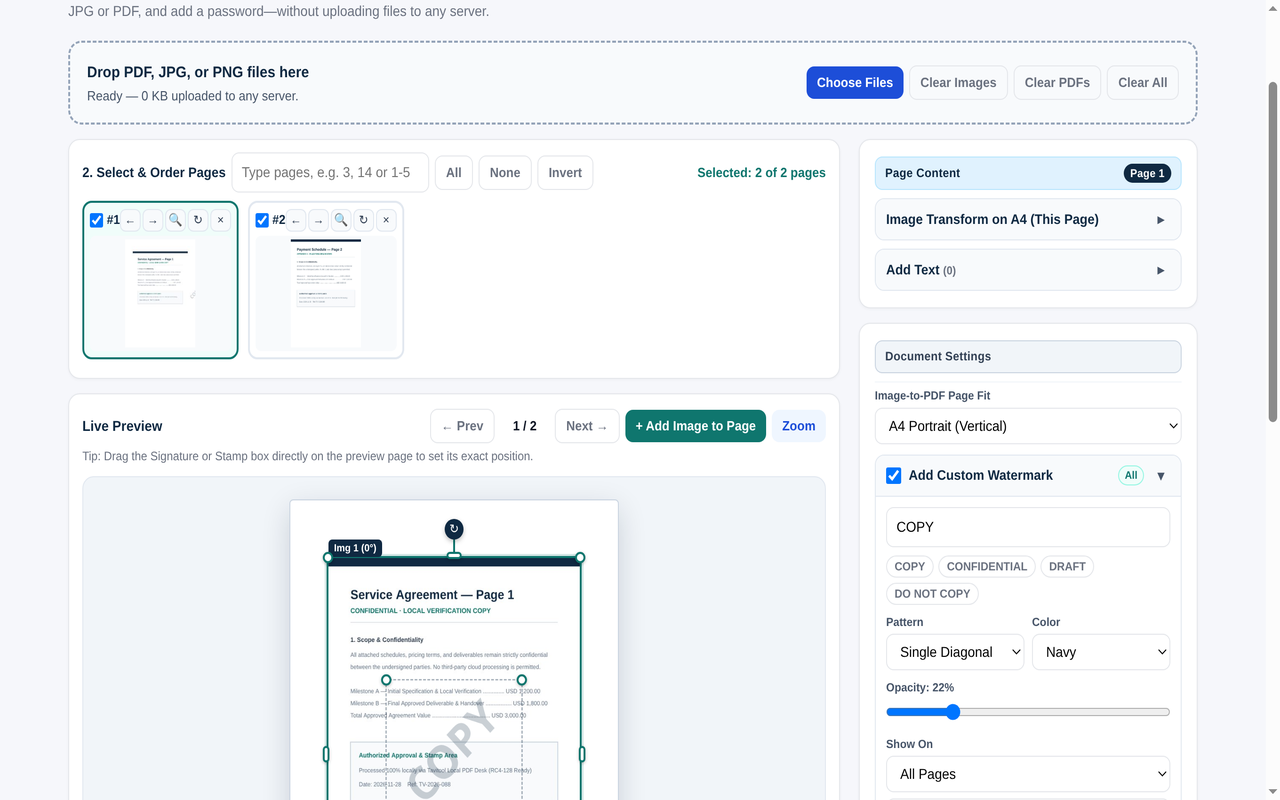
Practical PDF Tools — Click Any Screenshot to Enlarge
Every detail is engineered so you finish in 60 seconds without jumping across 10 separate web pages.
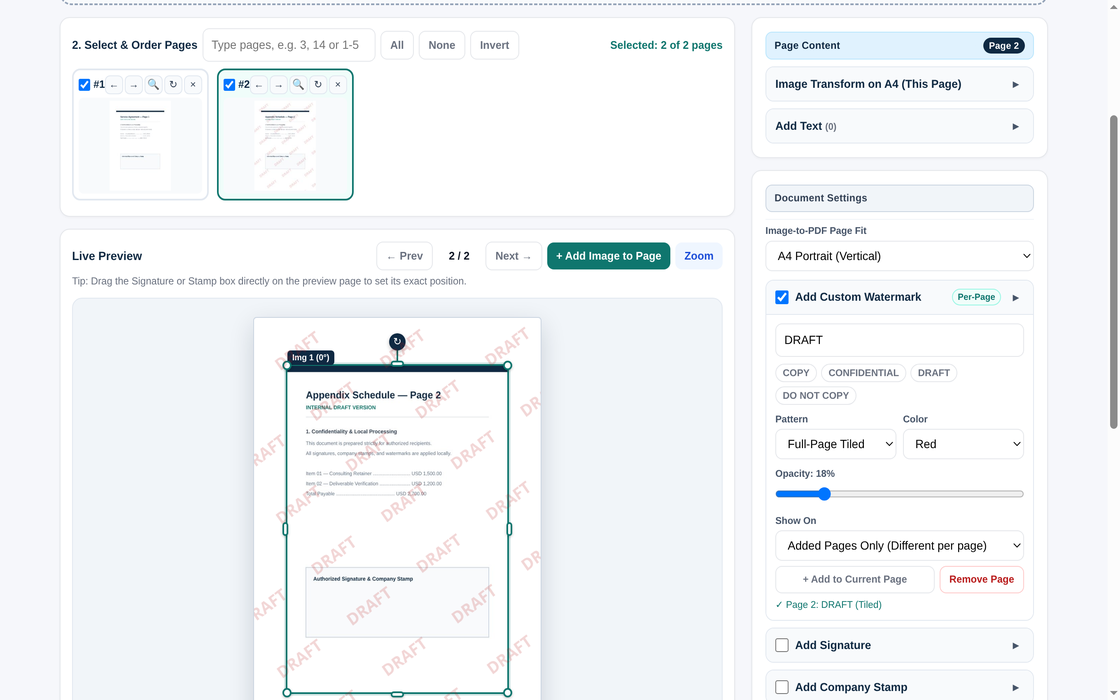
Different Watermarks on Different Pages — In One Click
Need "COPY" diagonally on Page 1 and full-page tiled "DRAFT" in red on Page 2? Just pick your text, pattern, color, and opacity, then click "+ Add to Current Page". Live thumbnails and zoom preview stay 100% synced.
- Single Diagonal (drag & 4-corner resize) or Full-Page Tiled patterns
- Apply to all pages, specific page ranges, or independently per page
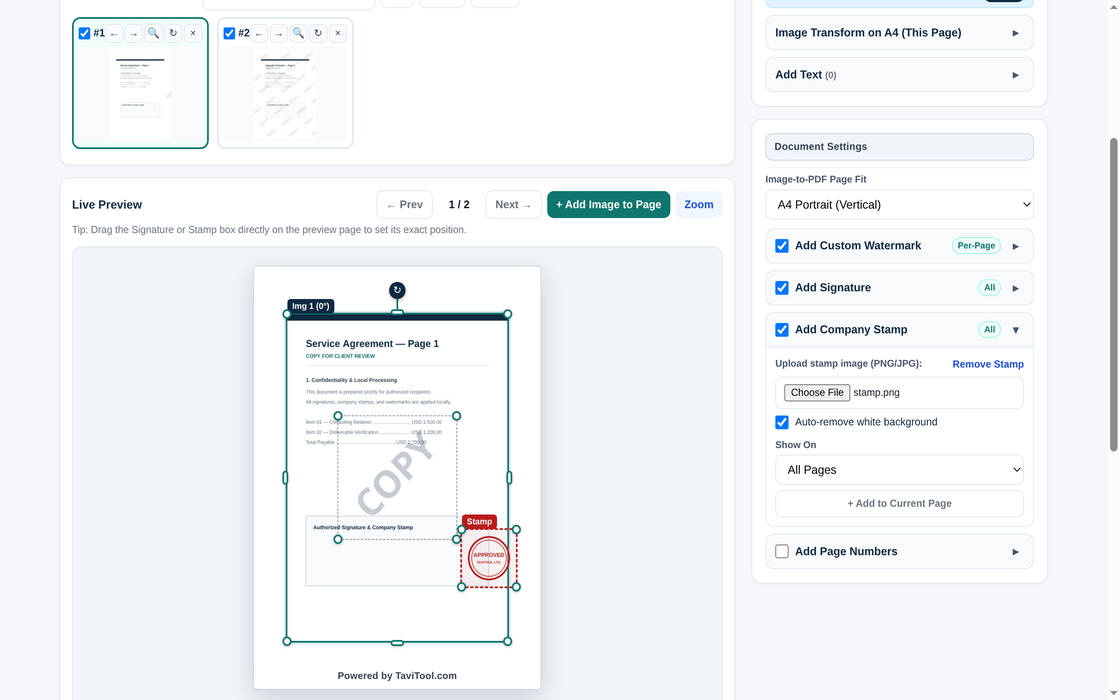
Photographed Company Stamp? White Background Removed Automatically.
Upload a photo of your company chop or draw your signature right on screen. Local PDF Desk turns the white paper background transparent automatically so you can drag and resize it cleanly over contract text—alongside unlimited multi-line styled text boxes and page numbers.
- 8-handle image transform + rotation, plus 4-corner resize on every element
- Unlimited multi-line text with Enter breaks, Bold/Italic/Underline & alignment
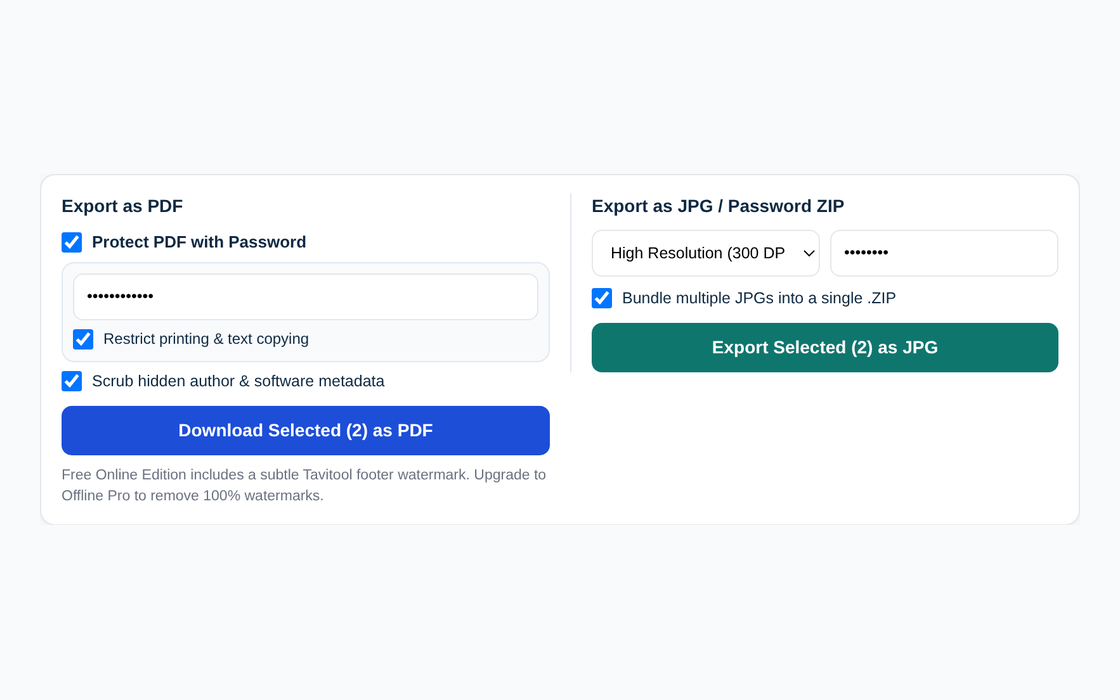
Built-In RC4-128 Password Lock, Metadata Scrubbing & Encrypted ZIP
Unlock password-protected PDFs locally, scrub hidden author and software metadata before sending files to clients, lock exported PDFs with an open password and print/copy restrictions, or export 150/300 DPI JPGs bundled into a password-protected .ZIP archive.
- Pure-JavaScript RC4-128 encryption verified in Chrome, Edge & Acrobat
- Export only the exact pages you check, as PDF or high-res JPG ZIP
Free Online vs. Offline Pro Edition
Experience every core tool free in your browser, or upgrade once for unlimited, watermark-free offline work.
| Feature | Free Online Edition | Offline Pro Edition (One-Time Purchase) |
|---|---|---|
| Server Uploads | 0 KB (100% Browser-Local) | 0 KB (Runs Completely Offline Without Internet) |
| All Editing, Stamping & RC4-128 Encryption | Included | Included |
| Session Capacity | Free trial quota (standard limits) | Unlimited files & pages |
| Footer Watermark | Includes Tavitool footer watermark | Remove Tavitool watermark |
Local PDF Desk FAQ
Are my PDFs or ID scans really never uploaded to any server?
Yes—0 KB uploaded. All rendering, merging, watermarking, and RC4-128 password encryption run locally inside your browser's JavaScript engine. You can even disconnect your Wi-Fi after loading the page and continue editing.
Can I put different watermarks on different pages (e.g., COPY on Page 1, DRAFT tiled on Page 2)?
Yes. In Document Settings → Watermark, configure the text and pattern (Single Diagonal or Full-Page Tiled) and click '+ Add to Current Page' on each page independently.
How does the built-in PDF password encryption work without a server?
Local PDF Desk includes a custom pure-JavaScript PDF 1.4 RC4-128 encryption engine that rebuilds the PDF cross-reference table and encrypts streams locally. Encrypted files open standardly in Chrome, Microsoft Edge, Adobe Acrobat, and macOS Preview.
Can I remove the white background from a photographed company stamp?
Yes. Upload your stamp photo under Company Stamp and keep 'Auto-remove white background' checked—the white paper background becomes transparent automatically so you can drag and resize it cleanly over text.